9/27/2014

FCT1033 Nested Loop Exercise


  1. A nested loop is a loop within a loop, an inner loop within the body of an outer one. How this works is that the first pass of the outer loop triggers the inner loop, which executes to completion. Then the second pass of the outer loop triggers the inner loop again. This repeats until the outer loop finishes.
Show output of the following flowchart.
Flowchart 1
Flowchart 2


FCT1033 Iteration Exercise 28 Sept 14

Masalah yang boleh di selesaikan dengan pengaturcaraan komputer boleh di kelaskan kepada 3 bahagian:-
1. Sequence
2. Selection
3. Iteration.

Posting pada kali ini masih membincangkan jenis yang ke tiga iaitu Iteration.

Camkan (identify) 3 perkara di bawah terhadapt pseudocode dan flowchart yang di berikan:-

i) The initialization of the loop control
ii) The loop repetition condition.
iii) The update of the loop control.


Flowchart 1

Pseudocode 1

I. set counter to 1
II. print counter
III. increase counter by 1
IV. repeat steps 2,3 until counter equals to 10


Pseudocode 2

I. Get a value for n.
II. Give p the value 1.
III. While n is positive
3.1 Multiply p by n
3.2 Substract 1 from n
IV. Print p

9/22/2014

BCS3473 Object Oriented Analysis and Database Design. Review Question

Review Questions for Chapter 1, Chapter 2 and Chapter 3 
Object Oriented System Analysis and Design, Simon Bennet.
Selected Question: 1.1,1.2,,1.7,1.10,1.11

Selected Question: 2.1,2,2,2.4,2.7

Selected Question: 3.1,3.2,3.3,
--------------------------------------------------------
Please download course plan and  lecture slide

9/21/2014

BCS 2233 Lab Week 3

A. Write a java program based on the following algorithm ( pseudocode / Flowchart)

Algorithmn 1

1.PROMPT user to enter length and width
2.READ length and width
3. CALCULATE perimeter and area
       perimeter = 2 * (length + width)
       area = length * width
4. OUTPUT perimeter and area


Algorithmn 2


FCT1033 Iteration Exercise

1. Show output of the following flowchart:-
Flowchart 1

Flowchart 2

Flowchart 3


2. Draw a flowchart for a program to print 10 to 20

3. Draw a flowchart for a program to print 20 down to 10

4. Show output of the following pseudocode:-

I. set counter to 1
II. print counter
III. increase counter by 1
IV. repeat steps 2,3 until counter equals to 10
pseudocode 1

I. count assigned zero
II.While count < 5
III. Display "I love computers!"
IV. Increment count
V. End while 
pseudocode 2

I.Display “ I love Computers!”
II.Repeat step 1 four times 
pseudocode 3

5. Write a pseudocode for a program to print 10 to 20

6. Write a pseudocodefor a program to print 20 down to 10


9/11/2014

FCT1033 Assignment 2

Design an algorithm (pseudocode or flowchart) for the following problems:-

1. Write an algorithm (Flowchart and Pseudocode)  that accepts a student’s numerical grade, converts the numerical grade to an equivalent letter grade, and displays the letter grade.


CPA                                     Status
2.0 - 4.0                             Satisfactory
1.7 - 1.9                             Conditional
0.0 - 1.6                             Failed (Terminated)
                 
2. An electric supply company charges the following rates for its customers:-


No. of unit consumed                              Charges/unit (RM) 
1-200                                                         0.
218
201 -300                                                    0.334
301-600                                                     0.516
601-900                                                     0.546
>=901                                                        0.571

*http://www.tnb.com.my/tnb/residential/pricing-and-tariff/tariff-rates.html

Due Date 25/9/2014

9/10/2014

FCT1033 Lab 11 Sept 2014

 Copy, Compile and Run the following C++ program. What is the output when input are:-

1.00
1.20
1.30
1.35
1.39

#include cstdlib  <--pls check="" line="" span="" this="">

#include iostream <- span=""><--pls check="" line="" span="" this="">

using namespace std;

int main(int argc, char *argv[])
{
    int sen50, sen20, sen10, sen5, sen1;
    int intRM;
    double RM;
    cout<<"Sistem Penukaran Duit Syiling \n Sila masukkan jumlah wang anda:\n";
    cin>>RM;
    intRM=int(RM*100);               // tukar Ringgit kepada sen
   
    sen50=intRM/50;                  // dapatkan jumlah sen50
    intRM = intRM%50;                // dapatkan lebihan dari sen50
   
   
    sen20=intRM/20;                  // dapatkan jumlah sen20
    intRM = intRM%20;                // dapatkan lebihan dari sen20
   
   
    sen10=intRM/10;                  // dapatkan jumlah sen10
    intRM = intRM%10;                // dapatkan lebihan dari sen10
   
    sen5=intRM/5;                    // dapatkan jumlah sen5
    sen1 = intRM%5;                  // dapatkan lebihan dari sen5
   
    cout<<" Bilangan duit syiling yang anda perolehi adalah : ";
    cout<<" 50 Sen:"<
    cout<<" 20 Sen:"<
    cout<<" 10 Sen:"<
    cout<<" 5 Sen:"<
    cout<<" 1 Sen:"<
    system("PAUSE");
    return EXIT_SUCCESS;
}


Draw flowchart for the program above

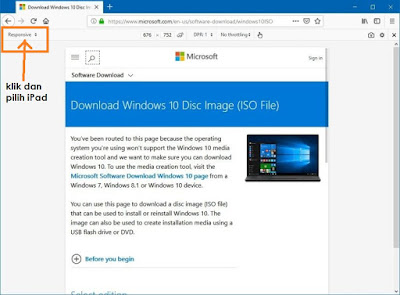
Cara download Installer windows 10 dalam format ISO

1. Jika anda bercadang untuk download windows 10 melalui website rasmi windows - pilihan untuk download dalam format ISO tidak di berikan.  ...