
Showing posts with label 14/15 SEM 2 BCS1333. Show all posts
Showing posts with label 14/15 SEM 2 BCS1333. Show all posts

4/18/2015
BCS1333 Markah quiz 2 ujian 1 (ulangan)
Berikut adalah markah bagi quiz 2 test 1 (ulangan)
| NO | NAME | COURSE | MATRIC | quiz 2 (10) | Test1(#2) 100% |
| 1 | CHE KU NOR FARAH AIN BT CHE KU HASSAN | 1BCBM | 14B04001 | 10 | 87.2 |
| 2 | NUR ATHIRA BT AMAN | 1BCBM | 14B04015 | 10 | 95.7 |
| 3 | NOR AIN AQIRA BT KAMAR | 1BCBM | 14B04013 | 10 | 95.7 |
| 4 | NORFARHANA BT OMAR | 1BCBM | 14B04014 | 10 | 93.6 |
| 5 | NURUL AMALINA BT ISMAIL | 1BCBM | 14B04019 | 10 | 93.6 |
| 6 | SITI NURFARHAN BT KAMAR JEHAN | 1BCBM | 14B04024 | 10 | 100.0 |
| 7 | NOOR NAFIZAH BT MOHD RODZI | 1BCBM | 14B07012 | 10 | 74.5 |
| 8 | NURUL DIYANA BT YAHAYA | 1BCBM | 14B04029 | 8 | 93.6 |
| 9 | SYAZWANI BT NGAH @ MOHD NOOR | 1BCBM | 14B04026 | 8 | 95.7 |
| 10 | NAJWA SYAHIRAH BT SUHAIDI | 1BCBM | 14B04011 | 10 | 93.6 |
| 11 | NURUL AINA MADIENA BT MAD DAHAN | 1BCBM | 14B04018 | 10 | 93.6 |
| 12 | HANI DALILA BT RADZALI | 1BCBM | 14B04003 | 10 | 87.2 |
| 13 | NURUL ZUHAIRAH BT RAZALI | 1BCBM | 14B04022 | 10 | 93.6 |
| 14 | NUR FATIMAH BT MOHD ROSLY | 1BCBM | 14B04017 | 10 | 85.1 |
| 15 | SAZARUL SYAFIQAH BT ZAKARIA | 1BCBM | 14B04023 | 10 | 95.7 |
| 16 | NURUL SHAHIRAH BT MOHD NOOR | 1BCBM | 14B04021 | 8 | 93.6 |
| 17 | MOHAMOD IKHWAN BIN MOHD ZUKI | 1BCBM | 14B04004 | 0.0 | |
| 18 | MUHAMMAD THAQIF BIN MOHD TAUFEK | 1BCBM | 14B04030 | 9 | 83.0 |
| 19 | KAMARUL AIMAN BIN KAMARAZI | 1BCBM | 14B04028 | 4 | 80.9 |
| 20 | FAIZ NOOR HAFIZ BIN MOHD ALWE | 1BCBM | 14B04027 | 4 | 91.5 |
| 21 | IZZAT ARSYAD BIN AWANG | 1BCBM | 14B04005 | 10 | 84.0 |
| 22 | MUHAMMAD RIZAL RIDZUAN BIN HASHIM | 1BCBM | 14B04009 | 5 | 72.3 |
| 23 | KAMARUL NAZERI BIN IBRAHIM | 1BCBM | 14B04006 | 3 | 97.9 |
| 24 | MUHAMMAD ALEFF BIN HAZNI | 2BCNS | 14B07010 | 10 | 91.5 |
| 25 | MOHAMAD FAHMI BIN RAFEZIN | 2BCNS | 14B04007 | 10 | 85.1 |
| 26 | MOHAMAD IKHWAN BIN MOHD ZUKI | 2BCNS | 14B07004 | 10 | 95.7 |
| 27 | MOHD IZAHAR BIN ZAKARIA | 14B07006 | 10 | 89.4 | |
| 28 | MUHAMMAD NAFIZ IKHSAN BIN MUHAMMAD | 14B07027 | 10 | 93.6 | |
| 29 | MOHD HISHAMUDDIN WAHAB | 12B07110 | 76.6 |
BCS1333 Assignment 2 & Assignment 3
ASSIGNMENT 2
1.
Describe the differences among short-term and long-term scheduling.
2. Describe the actions
taken by a kernel to context-switch between processes.
3. The benefits of multithreaded
programming can be broken down into four major categories (Responsiveness,
Resources Sharing, Economy, utilization of multiprocessor): Briefly explain
each of them.
4. Explain the three models of
multithreading.
ASSIGNMENT 3
1. There are five criterions that have
been suggested for comparing CPU scheduling algorithms. List and briefly
explain each of them.
2. Consider the following set of processes that arrive at
time 0, with the length of the CPU burst given in milliseconds:
Process Burst
Time Priority
P1 15 3
P2 10 1
P3 3 3
P4 5 2
P5 9 4
The processes are assumed to have arrives in order
P1,P2,P3,P4,P5 all at time 0.
a. Draw four Gantt charts that
illustrate the execution of these processes using the following scheduling
algorithms : FCFS, SJF, nonpreemptive priority ( a smaller priority number
implies a higher priority), and RR (quantum = 5).
b. What is the average waiting time of
each process of the scheduling algorithms in part a?
c. What is the turnaround time of each process of
the scheduling algorithms in part a?
d. Which of the algorithms in part a
results in the minimum average waiting time (over all processes)?
3. A file
attribute is metadata that describes or is associated with a computer file.
Typically there are 7 common file’s
attributes. Briefly explain each of them.
4. There are four (4) pieces of information
are associates with an open file. Explain each of them
4/04/2015
BCS1333 OS: 5 April 2015
'Test 1' akan di adakan pada ketetapan berikut:-
Tarikh : 12/4/2015
Masa : 8.30 am - 9:30 am
Chapter: 2- OS Structures, 3- Processes, 4: Threads
Latihan Chapter 5: CPU Scheduling
Consider
the following table 4.1. Four processes are arrived at time 0, with the length
of the CPU burst given in milliseconds:
Process Burst Time _______ * Priority
P1 10 3
P2 15 1
P3 3 3
P4 5 2
*smaller
priority number implies a higher priority
Table 4.1 List of processes
that are arrived at time 0
The processes are assumed to
have arrives in order P1, P2, P3, P4 all at time 0.
I.
Draw FOUR
(4) Gantt charts that illustrate the execution of these processes using the
following scheduling algorithms: FCFS, SJF, Priority, and RR (quantum = 5).
4/02/2015
BCS1333 OS : Assignment 2
1.Describe
the differences among short-term and longterm scheduling.
2.Describe the actions
taken by a kernel to context-switch between processes.
3.The benefits of multithreaded programming can be broken down
into four major categories (Responsiveness, Resources Sharing, Economy,
utilization of multiprocessor): Briefly explain each of them.
4. Explain the three models of multithreading.
3/30/2015
3/29/2015
BCS1333 OS: DOS Command

Stands for "Disk Operating System." DOS was the firstoperating system used by IBM-compatible computers. It was originally available in two versions that were essentially the same, but marketed under two different names. "PC-DOS" was the version developed by IBM and sold to the first IBM-compatible manufacturers. "MS-DOS" was the version that Microsoft bought the rights to, and was bundled with the first versions of Windows.
DOS uses a command line, or text-based interface, that allows the user to type commands. By typing simple instructions such as pwd (print working directory) and cd(change directory), the user can browse the files on the hard drive, open files, and run programs. While the commands are simple to type, the user must know the basic commands in order to use DOS effectively (similar to Unix). This made the operating system difficult for novices to use, which is why Microsoft later bundled the graphic-based Windows operating system with DOS.
Check out the list of Basic MS-DOS Commands widely used in MS-DOS:-
- Cd : Used to change/access directory.Prompt changes to new path of current directory. For Example: Cd [directory name]
- cls : Used to clear command line terminal screen.
- Del : Used to one or multiple files. For Example : DEL [drive:][path]filename
- Dir : Used to show all files in current directory
- Dir/p : Used to show all files in current directory page wise
- EDIT : This command will open the file and will allow you to edit it. For example: EDIT DOS.txt
- MD or MKDIR : This command is used to create new directory. For example : MD (NEWDIR)
- PRINT : Used to print the specified file. For example : PRINT DOS.txt
- RD : Used to remove any directory. For example : RD DOS.txt
- RENAME : Used to rename a file. For example : RENAME [oldFileName][newFileName]
- HELP : This command will display MS-DOS commands help. For example : HELP DIR
- C: : This command is used to enter in any drive and similarly A:,D:,E: etc.
- Copy : Used to copy a file from one location to other. For Example: COPY [oldFilePath] [newFilePath]
references:-
http://www.webexpertlabs.com/basic-ms-dos-commands/
http://www.sophos.com/en-us/support/knowledgebase/13195.aspx
http://www.computerhope.com/overview.htm
2/28/2015
BCS1333 OS: Quiz 1 & Assignment 1
QUIZ 1
Please submit before 4.00pm to BP36 (Bilik Pensyarah 36 , Blok Akademik B, Aras 4.)
ASSIGNMENT 1
DUE DATE : 15/3/2015
In Group with 4-5 members.
1. [CHAPTER 1] The issue of resource utilization shows up in different forms in different
types of operating systems. List what resources must be managed
carefully in the following settings:
a. Workstations connected to servers
b. Handheld computers (Smart phone)
2.[CHAPTER 1]Briefly define Timesharing System and Single-User Workstation (PC).
Under what circumstances would a user be better off using a timesharing
system rather than single-user workstation?
3. [CHAPTER 1]Describe the differences between symmetric and asymmetric multiprocessing.
What are three advantages and one disadvantage of multiprocessor
systems?
4. [CHAPTER 2]Describe three general methods for passing parameters to the operating
system.
5. [CHAPTER 2]What is the relationship between a guest operating system and a host
operating system in a system like VMware? What factors need to be
considered in choosing the host operating system?
- The service provided by an Operating
System can be divided into two main categories. Briefly describe the two
categories and discuss how they differ.
- List five services provided by an Operating
System that are designed to make it more convenient for users to use
computer system.
ASSIGNMENT 1
DUE DATE : 15/3/2015
In Group with 4-5 members.
1. [CHAPTER 1] The issue of resource utilization shows up in different forms in different
types of operating systems. List what resources must be managed
carefully in the following settings:
a. Workstations connected to servers
b. Handheld computers (Smart phone)
2.[CHAPTER 1]Briefly define Timesharing System and Single-User Workstation (PC).
Under what circumstances would a user be better off using a timesharing
system rather than single-user workstation?
3. [CHAPTER 1]Describe the differences between symmetric and asymmetric multiprocessing.
What are three advantages and one disadvantage of multiprocessor
systems?
4. [CHAPTER 2]Describe three general methods for passing parameters to the operating
system.
5. [CHAPTER 2]What is the relationship between a guest operating system and a host
operating system in a system like VMware? What factors need to be
considered in choosing the host operating system?
2/01/2015
BCS1333 OS SEM 2 14/15
BCS1333 Operating System

ch1-Introduction
ch2-OS_Structures
ch3-Processes
ch4-Threads
ch5-CPU_Scheduling
ch7-Deadlocks
ch8-Main_Memory
ch15-Security
Subscribe to:
Posts (Atom)
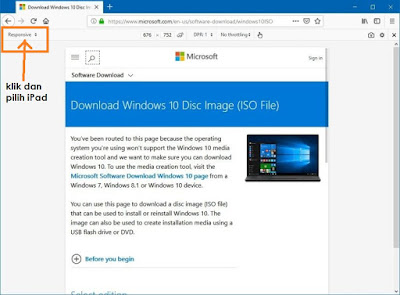
Cara download Installer windows 10 dalam format ISO
1. Jika anda bercadang untuk download windows 10 melalui website rasmi windows - pilihan untuk download dalam format ISO tidak di berikan. ...
-
 1.TOPUP Cepat Susut Jika anda merasa topup prepaid anda cepat susut walaupun tak banyak call- ada baiknya anda semak log call/sms/content ...
 -
 Section 8 The String Class 8.1 Suppose that s1 , s2 , s3 , and s4 are four strings, given as follows: String s1 = ...
 -
 1. Jika anda bercadang untuk download windows 10 melalui website rasmi windows - pilihan untuk download dalam format ISO tidak di berikan. ...